To understand the system better, let’s look at some examples. These examples will give you a feel for the overall flow of a sassy-enhanced program, and allow you to see how the functions work together.
Index
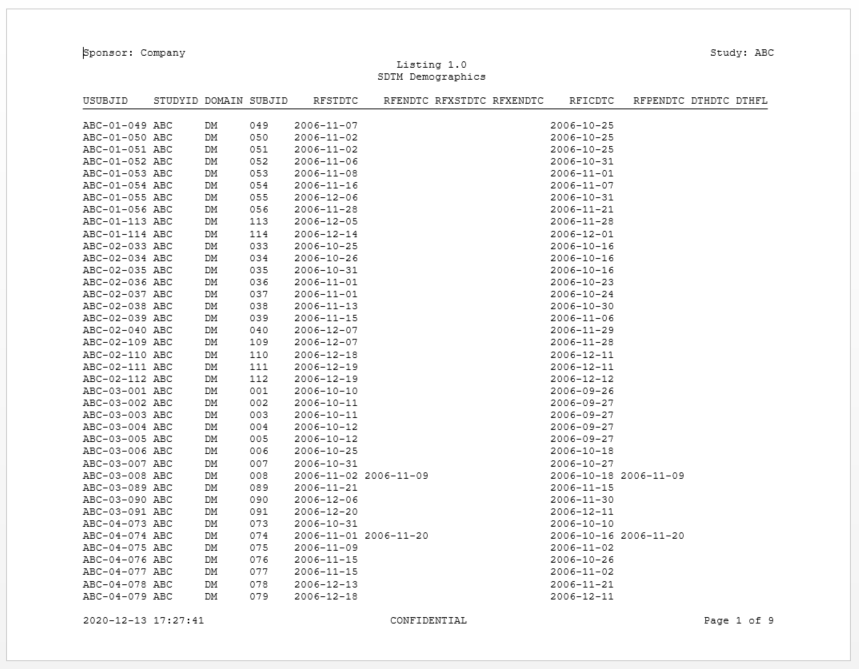
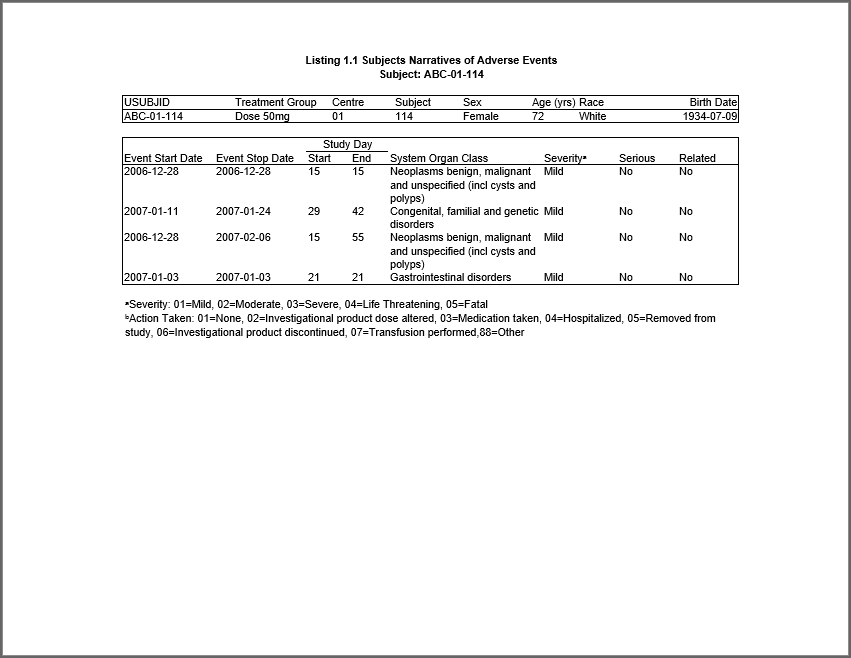
- Example 1: Listing
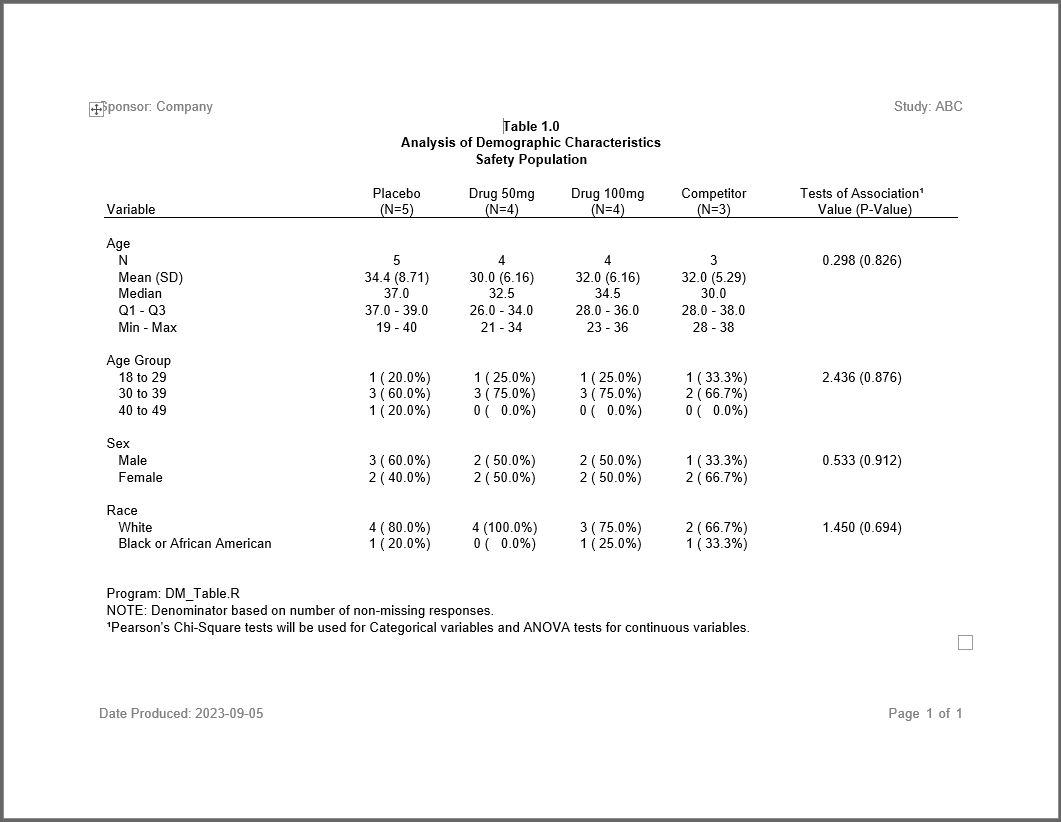
- Example 2: Demographics table
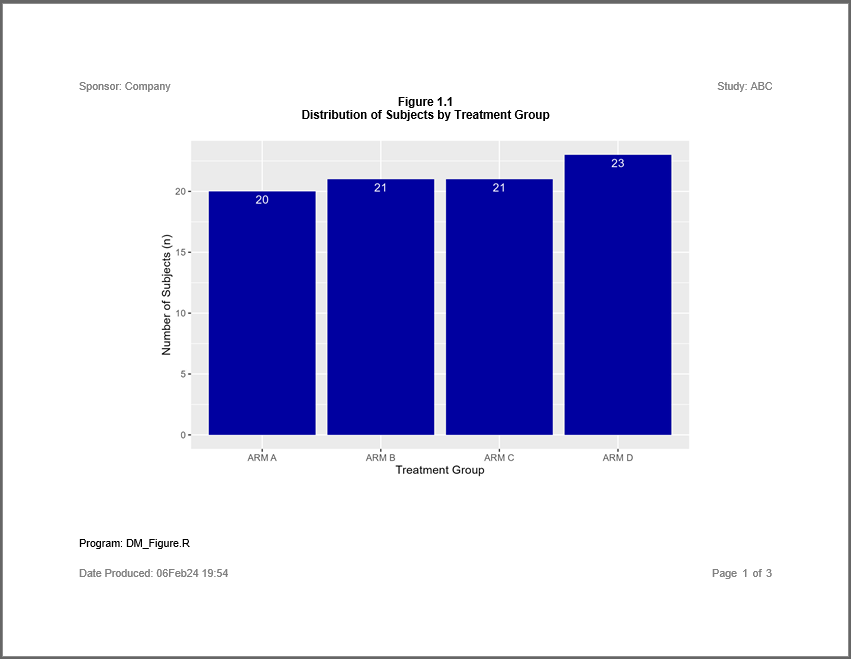
- Example 3: Figure
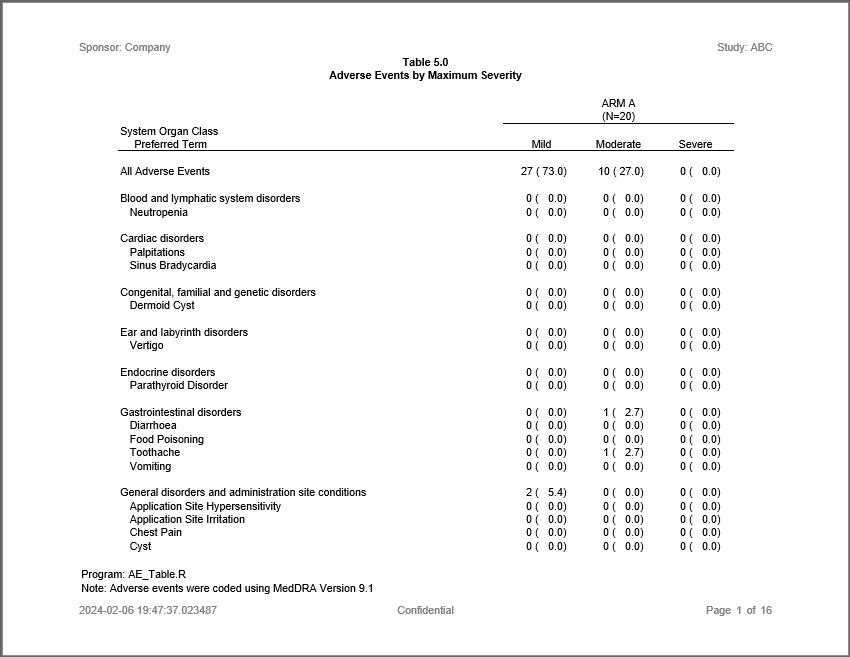
- Example 4: Adverse events table
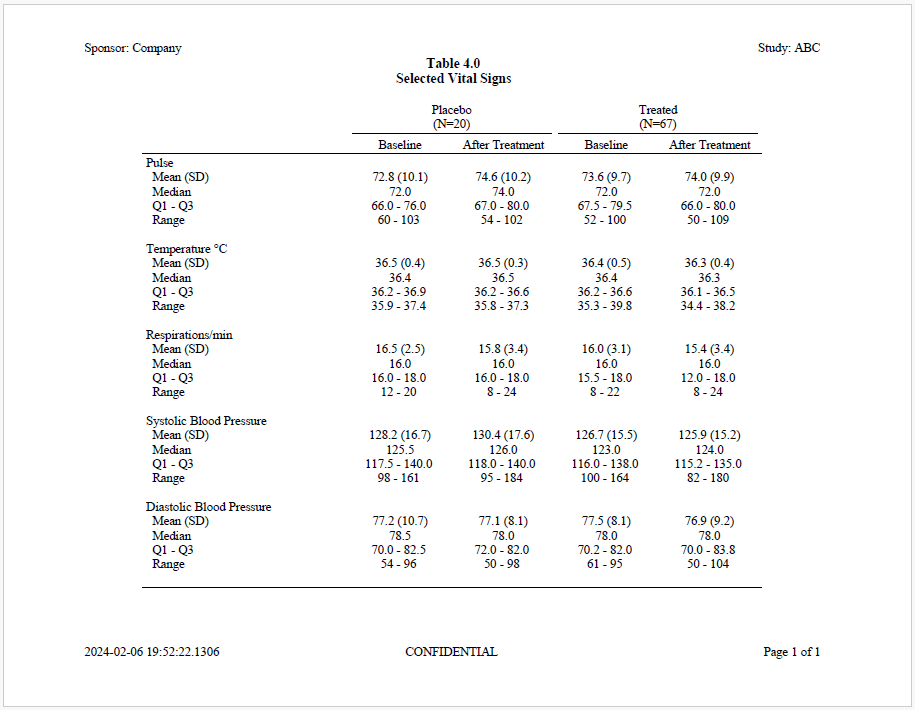
- Example 5: Vital signs table
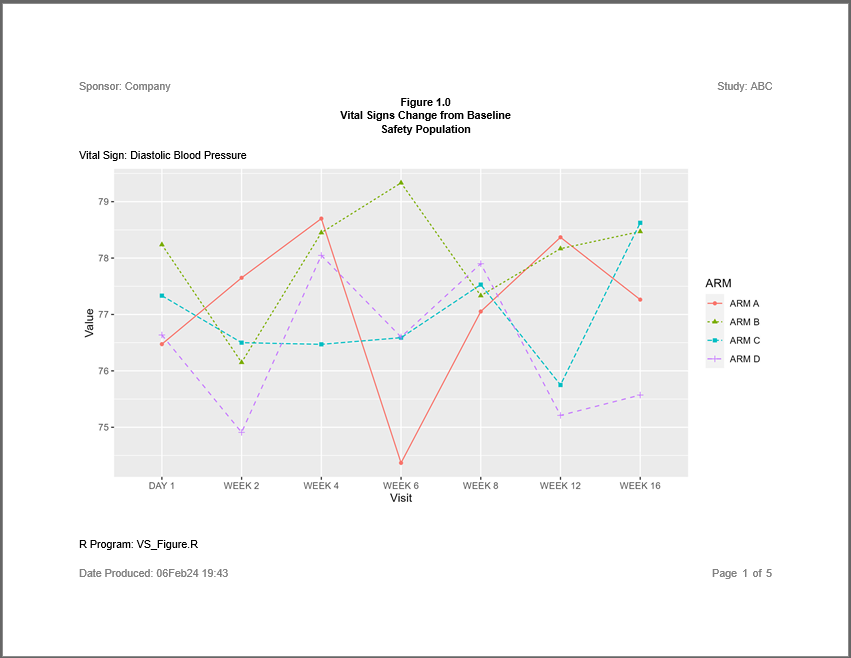
- Example 6: Figure with by group
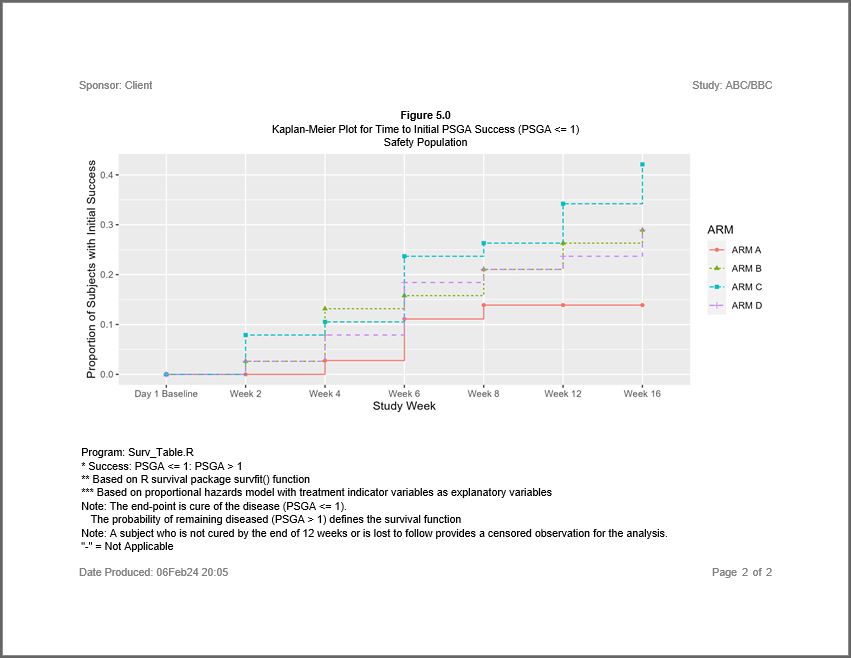
- Example 7: Survival analysis
- Example 8: Patient profile
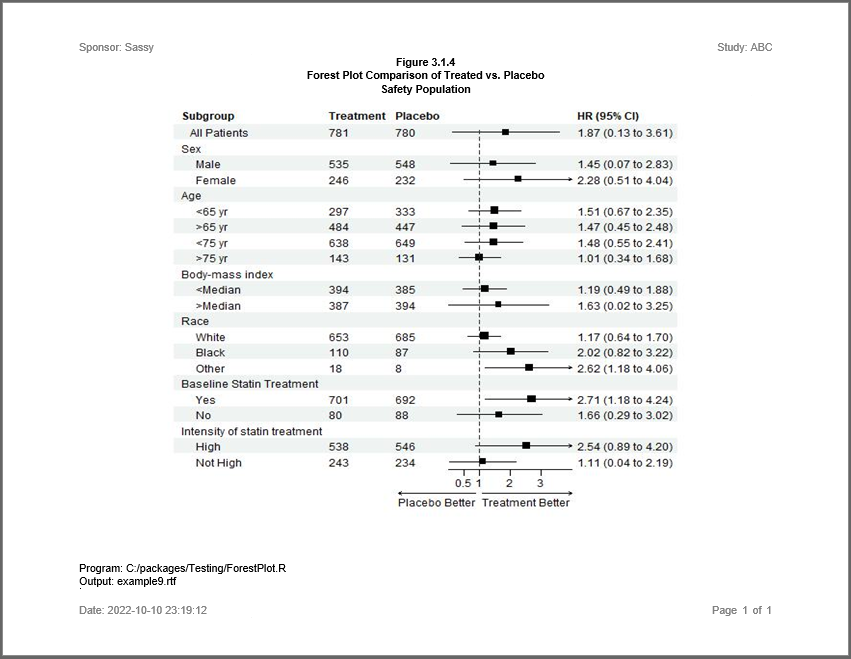
- Example 9: Forest plot
- Example 10: Disposition table
- Example 11: Subject listing
- Example 12: Combined figure
- Example 13: Mean change from baseline figure
- Example 14: AE severity in rows
- Example 15: Intext table
- Example 16: Shift table
- Example 17: Macro program
- Example 18: Chinese font
Gallery
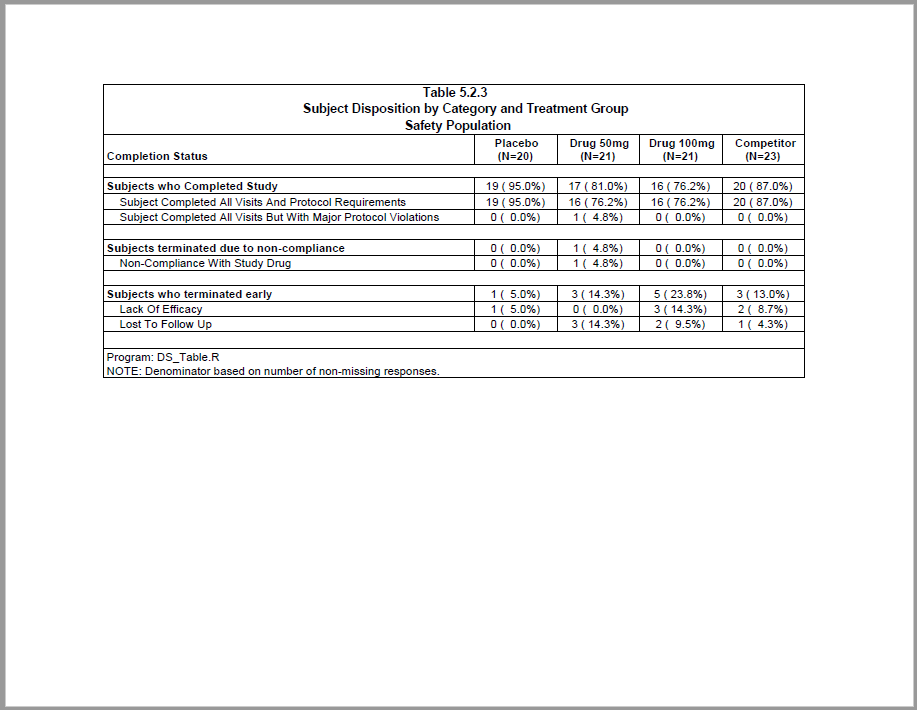
Example 10
Creates a subject disposition table.
top
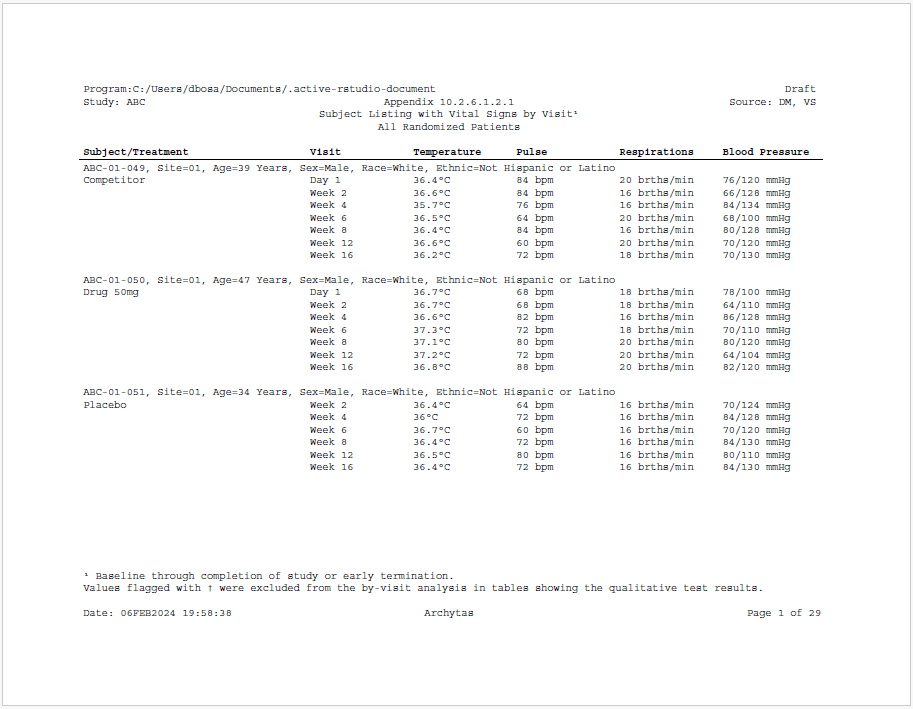
Example 11
Creates a subject listing with vital signs by visit.
top
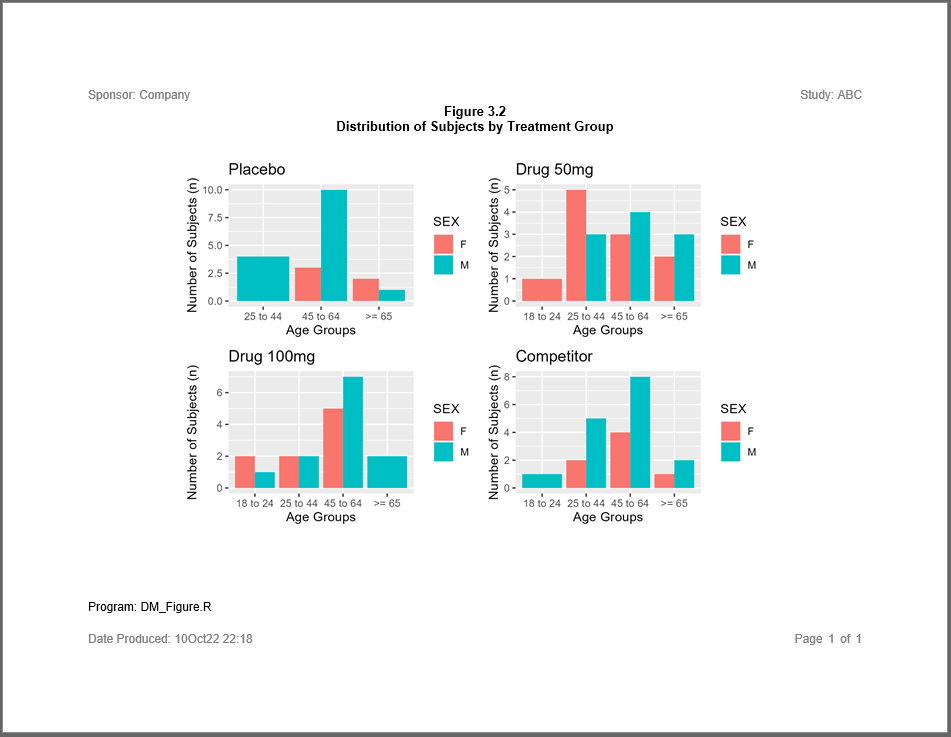
Example 12
Creates a combined figure of age groups by treatment.
top
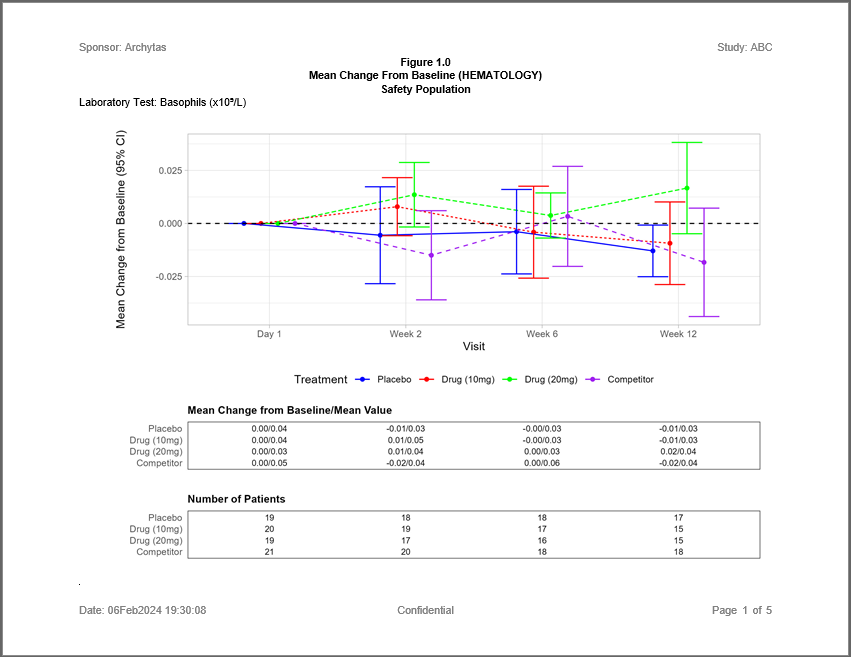
Example 13
Creates a Mean Change from Baseline figure for laboratory values.
top
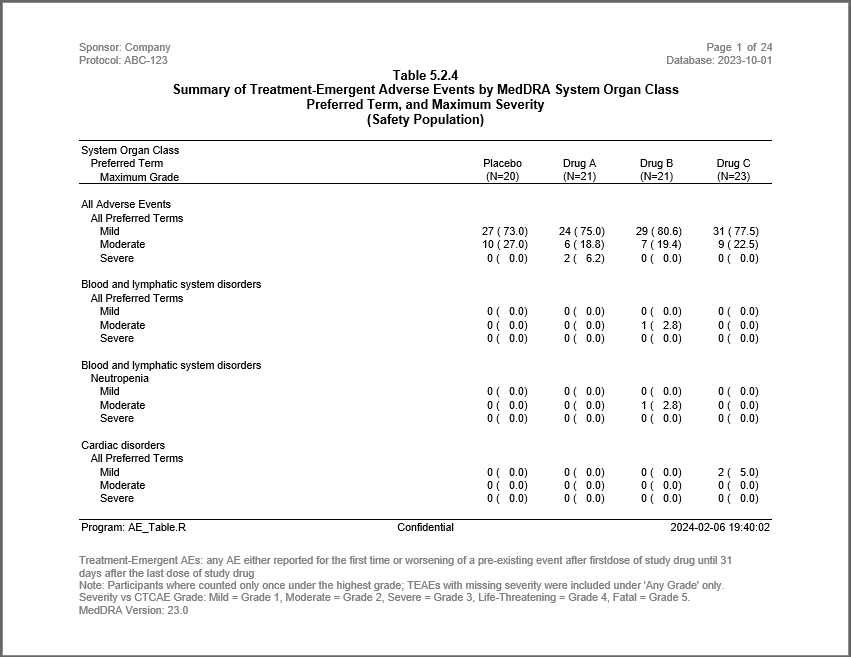
Example 14
Creates an AE table with severity grades in rows.
top
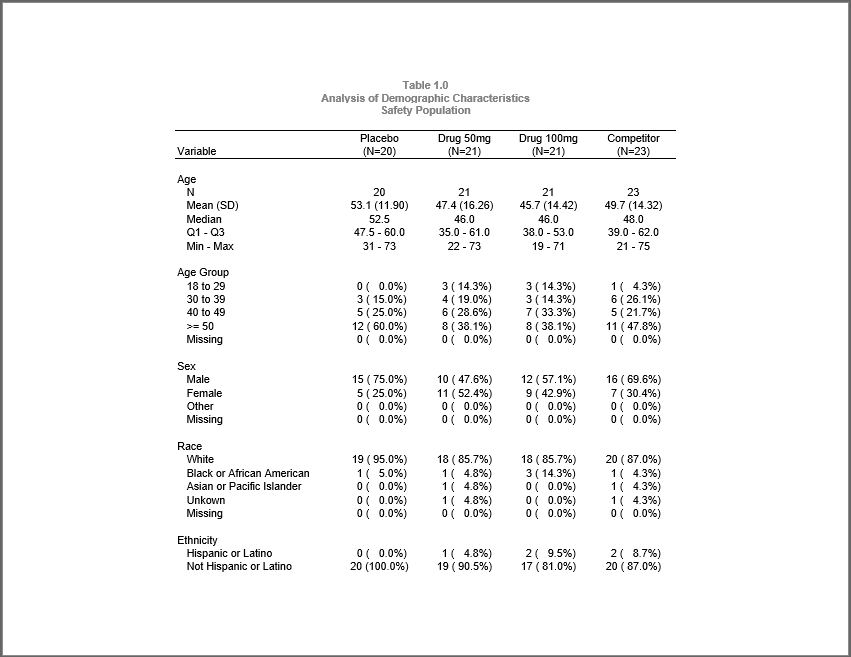
Example 15
Creates both stand-alone and “intext” versions of a demographics
table.
top
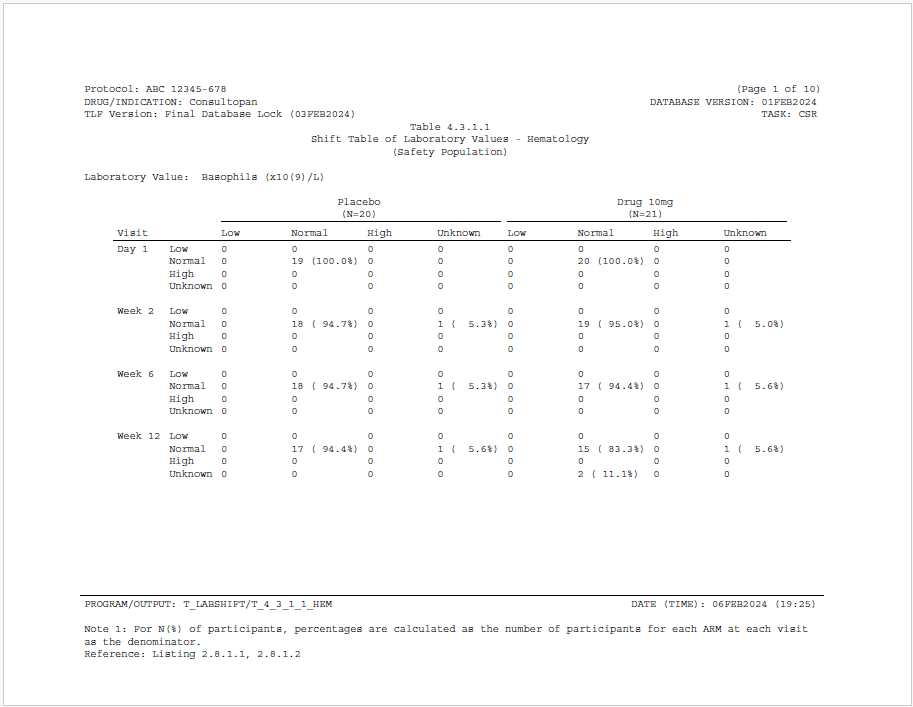
Example 16
Creates a shift table of lab values.
top
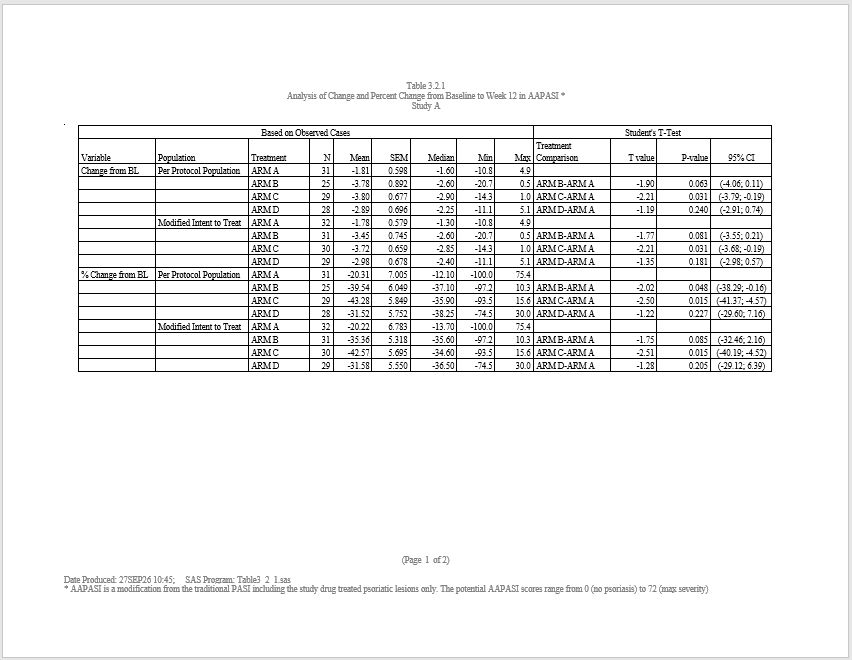
Example 17
Creates a change from baseline table using SASSY Macro.
top
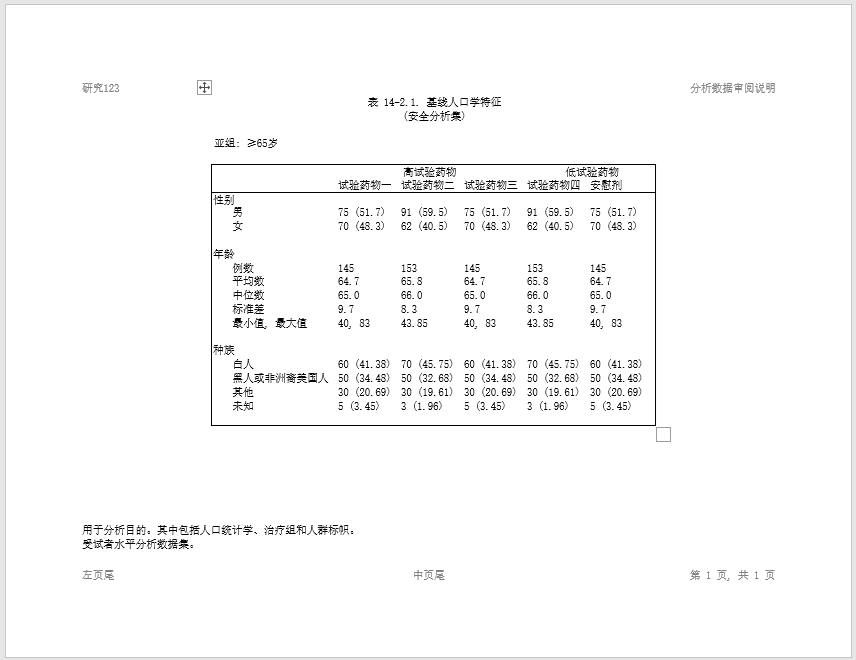
Example 18
Creates a demographics table in Chinese.
top